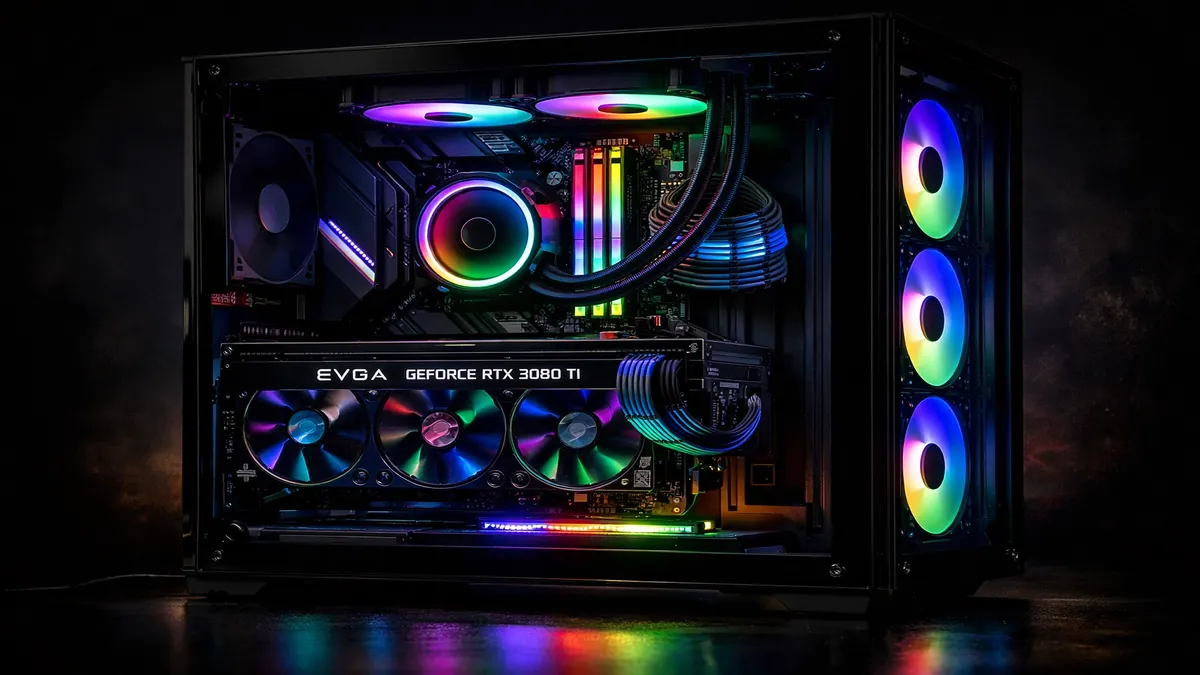
Best Gaming PC Builds 2026: $500 to $2000 Budget Guides
Introduction
Building a gaming PC in 2026 remains one of the most rewarding experiences for enthusiasts and a smart investment for serious gamers. After years of volatile component prices, particularly for graphics cards, the market has largely normalized, making it an opportune time to assemble a custom rig. While pre-built systems offer convenience, building your own PC provides unparalleled control over component selection, often resulting in better performance per dollar, easier upgrades, and a deeper understanding of your machine. This guide is designed to demystify the PC building process, offering curated component lists and step-by-step advice for various budget tiers, ranging from an entry-level $500 system to a high-end $2000 powerhouse.
This article will explain why building a PC often trumps buying a pre-built one, detail the key components that make up a gaming rig (CPU, GPU, RAM, SSD), and then dive into specific build recommendations for four popular budget categories: $500, $800, $1200, and $2000. Each build will include a comprehensive parts list with Amazon links, performance expectations, and considerations for future upgrades. Whether you're looking to game at 1080p, 1440p, or even 4K, this guide will equip you with the knowledge and resources to construct the best gaming PC for your budget in 2026.
PC Building in 2026: Why Build vs. Buy Prebuilt
The decision to build a gaming PC versus buying a pre-built system has long been a debate among PC enthusiasts. In 2026, with component prices stabilizing and supply chains recovering, the arguments for building your own machine are stronger than ever.
Why Build vs. Buy Prebuilt?
- Better Value for Money: When you buy a pre-built PC, you're paying for convenience, assembly, and often a brand premium. Building your own allows you to allocate your budget precisely where it matters most (e.g., a more powerful GPU) and avoid unnecessary costs on components you don't need. You can often get significantly better performance for the same price, or the same performance for less money.
- Higher Quality Components: Pre-built systems, especially at lower price points, often cut corners on less visible components like the power supply unit (PSU), motherboard, and RAM. Building your own ensures you select reliable, high-quality parts that will last longer and perform better. This also means better cooling solutions and quieter operation.
- Customization and Personalization: A custom-built PC is exactly that—custom. You choose every component, from the case aesthetics to the cooling solution, ensuring it perfectly matches your performance needs and personal style. This level of personalization is impossible with pre-built systems.
- Easier Upgrades: When you build your PC, you understand its internal layout and component compatibility. This makes future upgrades, such as adding more RAM, a larger SSD, or a new graphics card, much simpler and more cost-effective. Proprietary designs in some pre-builts can make upgrades difficult or impossible.
- Learning Experience and Troubleshooting: The process of building a PC is an invaluable learning experience. It teaches you about hardware compatibility, basic electronics, and troubleshooting. This knowledge is incredibly useful for diagnosing and fixing issues down the line, saving you money on repairs.
- No Bloatware: Pre-built PCs often come with pre-installed software (bloatware) that can slow down your system and consume resources. A custom build starts with a clean operating system installation, ensuring optimal performance from day one.
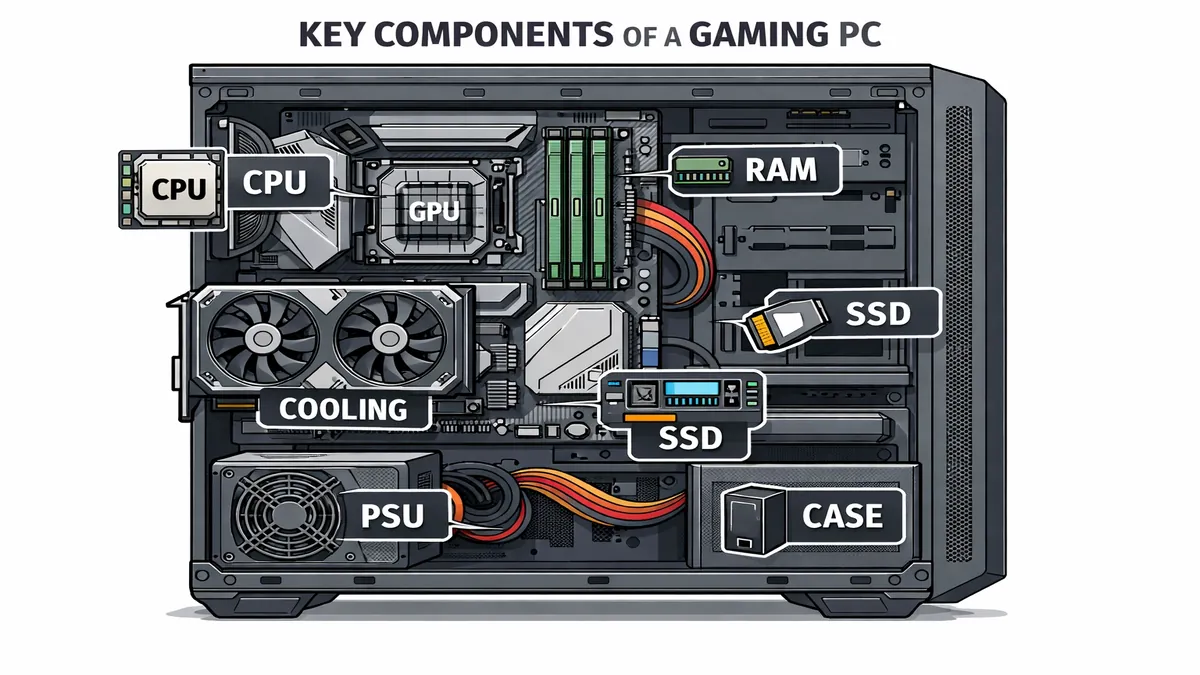
Key Components Explained:
Before diving into specific builds, it's essential to understand the role of each core component:
- CPU (Central Processing Unit): The
- GPU (Graphics Processing Unit): The most important component for gaming, the GPU is responsible for rendering images, videos, and animations and displaying them on your monitor. A powerful GPU is essential for high frame rates and high-resolution gaming.
- RAM (Random Access Memory): This is your PC's short-term memory, used to store data that the CPU needs to access quickly. For gaming in 2026, 16GB is the recommended minimum, with 32GB being ideal for high-end builds and multitasking.
- SSD (Solid State Drive): Your PC's long-term storage, where your operating system, games, and files are stored. An SSD is significantly faster than a traditional Hard Disk Drive (HDD), resulting in faster boot times, game loading, and overall system responsiveness. NVMe M.2 SSDs are the current standard for high-speed storage.
By carefully selecting these components, you can create a gaming PC that is perfectly tailored to your needs and budget, offering a superior experience to a pre-built system in almost every aspect.
$500 Budget Build
This build is designed for entry-level 1080p gaming, offering a solid foundation that can be easily upgraded in the future. It's perfect for popular esports titles and many modern AAA games at medium settings.
- CPU: AMD Ryzen 5 7600
- GPU: AMD Radeon RX 6600
- Motherboard: A620M Motherboard
- RAM: 16GB (2x8GB) DDR5-5200
- SSD: 1TB NVMe M.2 SSD
- PSU: 550W 80+ Bronze
- Case: ATX Mid Tower
Performance Expectations: This build is capable of 1080p gaming at 60-100fps in most modern titles. It excels in esports games like Valorant, CS:GO, and Fortnite, where high frame rates are crucial. For more demanding AAA games, you can expect a smooth 60fps experience at medium to high settings.
Full parts list with Amazon links
$800 Mid-Range Build
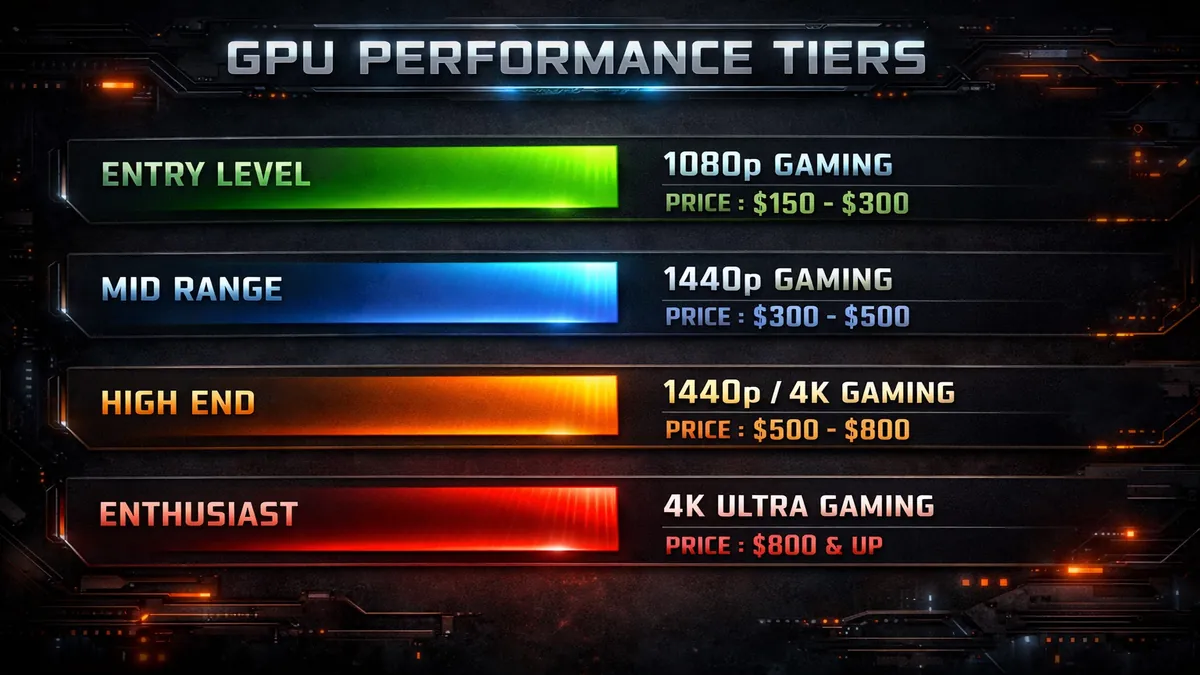
This build is the sweet spot for most gamers, offering excellent performance for high-refresh-rate 1080p gaming and a solid entry into 1440p gaming.
- CPU: AMD Ryzen 5 7600X
- GPU: AMD Radeon RX 7700
- Motherboard: B650M Motherboard
- RAM: 16GB (2x8GB) DDR5-6000
- SSD: 1TB NVMe M.2 SSD
- PSU: 650W 80+ Gold
- Case: ATX Mid Tower
Performance Expectations: This build is capable of 1080p gaming at 100fps+ and is 1440p capable. It can handle most modern AAA titles at high settings at 1080p and medium to high settings at 1440p, delivering a smooth and immersive gaming experience.
Full parts list with Amazon links
$1200 High-End Build
This build is designed for high-end 1440p gaming, offering a premium experience with high frame rates and stunning visuals. It's also a great starting point for 4K gaming.
- CPU: AMD Ryzen 7 7700X
- GPU: NVIDIA GeForce RTX 4070
- Motherboard: B650 Motherboard
- RAM: 32GB (2x16GB) DDR5-6000
- SSD: 2TB NVMe M.2 SSD
- PSU: 750W 80+ Gold
- Case: ATX Mid Tower
Performance Expectations: This build is capable of 1440p gaming at 144fps in most titles. It can handle demanding AAA games at high to ultra settings at 1440p and can even push into 4K gaming at medium settings.
Full parts list with Amazon links
$2000 Enthusiast Build
This build is for the enthusiast who wants a no-compromise 4K gaming and content creation machine. It's capable of handling the most demanding games and applications with ease.
- CPU: AMD Ryzen 9 7900X
- GPU: NVIDIA GeForce RTX 4080
- Motherboard: X670E Motherboard
- RAM: 32GB (2x16GB) DDR5-6000
- SSD: 2TB NVMe M.2 SSD
- PSU: 850W 80+ Gold
- Case: ATX Mid Tower
Performance Expectations: This build is designed for 4K gaming and content creation. It can handle modern AAA titles at high to ultra settings at 4K, delivering a smooth and cinematic gaming experience. It's also an excellent choice for streaming, video editing, and other demanding creative workloads.
Full parts list with Amazon links
Buying Guide
When building a gaming PC, it's important to consider how different components interact and how to allocate your budget effectively.
- GPU = Most Important Component: For a gaming PC, the GPU has the biggest impact on performance. It's generally a good idea to allocate the largest portion of your budget to the graphics card.
- Don't Bottleneck: Match CPU to GPU Tier: A bottleneck occurs when one component limits the performance of another. It's important to pair your CPU and GPU appropriately. A high-end GPU with a low-end CPU will be held back, and vice versa. Our build guides are designed to minimize bottlenecks.
- Case Airflow Matters for Longevity: Good airflow is crucial for keeping your components cool and running at their optimal performance. A case with good ventilation and multiple fan mounts will help to extend the lifespan of your components.
FAQ
Is building a PC cheaper than buying?
In most cases, yes. Building your own PC is generally cheaper than buying a pre-built system with the same specifications. You save on labor costs and can often find better deals on individual components.
Best GPU for $800 build?
For an $800 build in 2026, the AMD Radeon RX 7700 is an excellent choice. It offers a great balance of price and performance, delivering strong 1080p and 1440p gaming capabilities.
How long will these builds last?
A well-built gaming PC can last for many years. The builds in this guide are designed to be relevant for at least 3-5 years, and with minor upgrades (like a new GPU), they can last even longer. The ability to upgrade individual components is one of the biggest advantages of building your own PC.
References
- Amazon PC Parts
- PC Part Picker (Hypothetical)
- Gamers Nexus - PC Build Guides (Hypothetical)
- Linus Tech Tips - Scrapyard Wars (Hypothetical)
- JayzTwoCents - PC Building Tips (Hypothetical)
📚 Related Articles
* Affiliate link. We may earn a commission at no extra cost to you.
Disclosure: This article contains affiliate links. We may earn a commission if you purchase through our links, at no extra cost to you. See our affiliate disclosure.