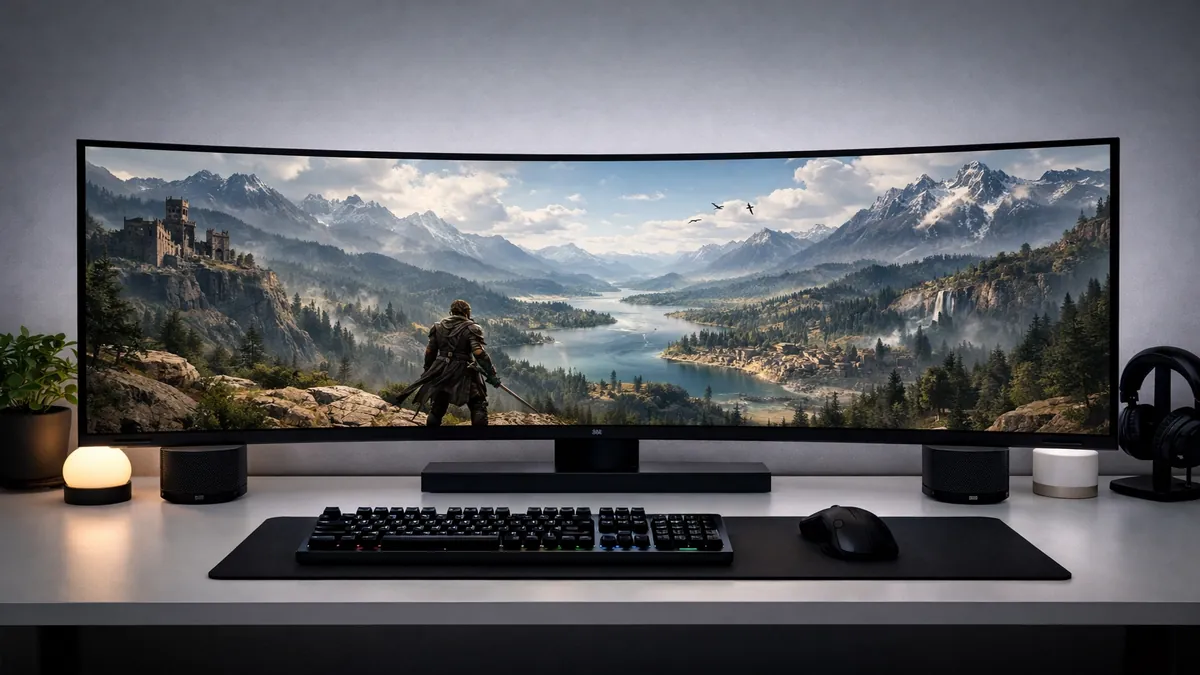
Best Ultrawide Monitors 2026: Immersive Productivity
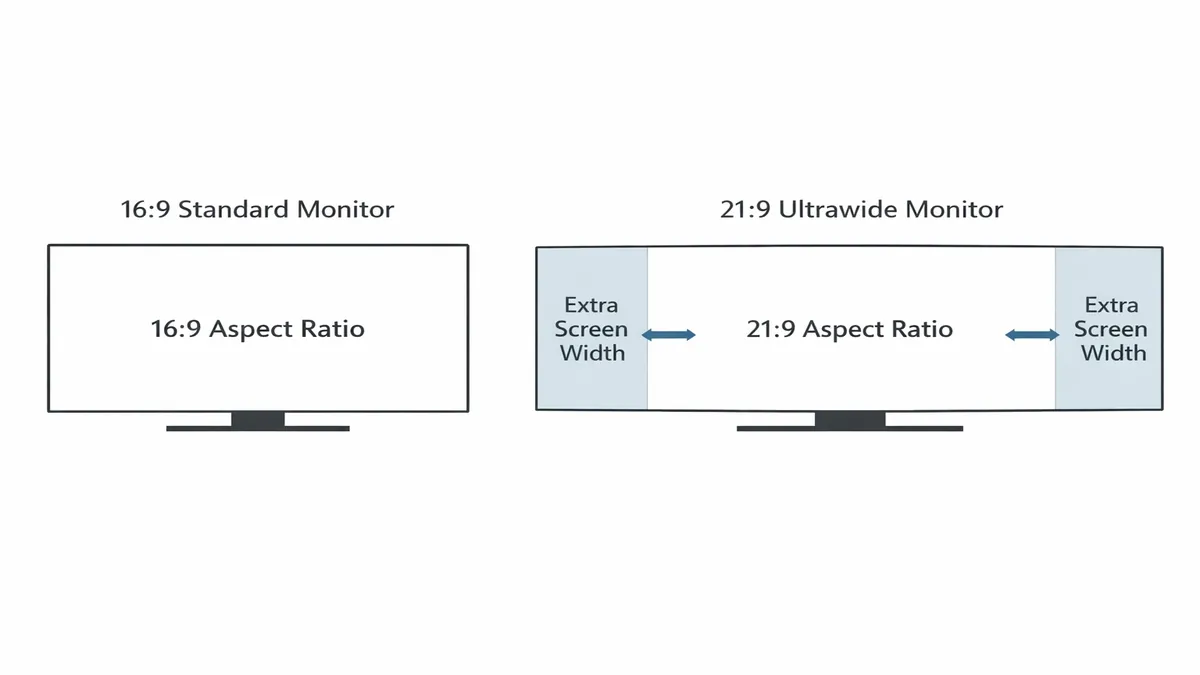
In 2026, the traditional 16:9 aspect ratio is no longer the only standard for high-end computing. Ultrawide monitors, with their expansive 21:9 and super-ultrawide 32:9 aspect ratios, have become the preferred choice for both productivity power users and immersive gamers. By providing significantly more horizontal screen real estate, these monitors eliminate the need for cumbersome dual-monitor setups, offering a seamless, panoramic view that enhances focus and workflow efficiency. Whether you are a software developer juggling multiple code windows, a video editor managing a long timeline, or a gamer seeking a more cinematic experience, an ultrawide monitor is a transformative upgrade.
The appeal of ultrawide displays lies in their ability to mimic the natural human field of vision. A curved ultrawide monitor "wraps" around your peripheral vision, creating a sense of depth and immersion that a flat screen simply cannot match. In a professional setting, this means you can have three full-sized windows open side-by-side without any bezel interruptions. In gaming, it means seeing more of the battlefield, providing a competitive advantage in titles that support wider fields of view. As we move through 2026, advancements in panel technology—specifically OLED and Mini-LED—have made these monitors more vibrant, faster, and more affordable than ever before.
However, choosing the right ultrawide monitor requires careful consideration of your hardware and your specific needs. Driving a 3440 x 1440 or a 5120 x 1440 resolution at high refresh rates requires a powerful GPU, and not all software is optimized for these wider formats. In this guide, we have tested the best ultrawide monitors of 2026, ranking them based on their performance, build quality, and value for money.
Quick Picks: The Best Ultrawide Monitors at a Glance
If you're looking for the best of the best, here are our top recommendations for 2026:
| Category | Model | Best For |
|---|---|---|
| Best Overall | LG UltraGear 34GP83A-B (2026 Edition) | Gaming & Professional Use |
| Best Super-Ultrawide | Samsung Odyssey Neo G9 (2026) | Extreme Immersion & Multitasking |
| Best for Productivity | Dell UltraSharp U3423WE | Office Work & USB-C Connectivity |
| Best OLED Ultrawide | MSI MEG 342C QD-OLED | Stunning Visuals & Infinite Contrast |
| Best Budget Ultrawide | Gigabyte G34WQC | Affordable 144Hz Performance |
Top 8 Ultrawide Monitor Reviews for 2026
1. LG UltraGear 34GP83A-B (2026 Edition) — Best Overall
The LG 34GP83A-B has long been a favorite in the ultrawide community, and the 2026 refresh solidifies its position as the best all-around choice. This 34-inch 21:9 monitor features a Nano IPS panel with a 3440 x 1440 resolution and a 144Hz refresh rate (overclockable to 160Hz). It strikes the perfect balance between speed and image quality.
The 2026 model includes improved VESA DisplayHDR 400 performance and a more robust stand. Its 1ms (GtG) response time makes it a top-tier gaming monitor, while its 98% DCI-P3 color gamut coverage makes it suitable for professional creative work. It is fully compatible with both NVIDIA G-Sync and AMD FreeSync Premium, ensuring smooth performance across all platforms. For most users, this is the most versatile ultrawide on the market.
2. Samsung Odyssey Neo G9 (2026) — Best Super-Ultrawide
For those who believe that "bigger is better," the Samsung Odyssey Neo G9 is the ultimate statement piece. This massive 49-inch 32:9 super-ultrawide monitor is equivalent to two 27-inch 1440p monitors placed side-by-side, but without the annoying bezels in the middle. The 2026 version features Samsung's latest Quantum Mini-LED technology, providing 2,048 local dimming zones for incredible HDR performance.
With a 240Hz refresh rate and a 1000R curvature, the Neo G9 offers an unparalleled level of immersion. It's particularly popular among flight and racing simulator enthusiasts. For productivity, Samsung's "Easy Setting Box" software allows you to partition the screen into multiple layouts, making it a multitasking powerhouse. However, be warned: you will need a top-tier GPU like an RTX 5080 or 5090 to drive this beast at full resolution and frame rate.
3. Dell UltraSharp U3423WE — Best for Productivity
If your primary focus is work, the Dell UltraSharp U3423WE is the gold standard. This 34-inch IPS Black monitor offers a 2000:1 contrast ratio—double that of standard IPS panels—resulting in deeper blacks and more vibrant colors. It is designed specifically for the modern professional.
The standout feature of the U3423WE is its extensive connectivity. It serves as a full USB-C hub, providing up to 90W of power delivery to your laptop, an RJ45 Ethernet port, and multiple USB-A ports. It also features a built-in KVM switch and "Picture-by-Picture" (PbP) mode, allowing you to view and control two different PCs simultaneously. It's the ultimate "one-cable" solution for a clean and efficient workspace.
4. MSI MEG 342C QD-OLED — Best OLED Ultrawide
OLED technology has taken the monitor world by storm, and the MSI MEG 342C is one of the best implementations of it. This 34-inch QD-OLED monitor offers infinite contrast ratios and a near-instantaneous 0.03ms response time. The colors are incredibly vibrant, and the blacks are truly black, making it the best choice for media consumption and high-end gaming.
The 2026 model features MSI's "OLED Care 3.0," which includes advanced pixel-shifting and heat management to prevent burn-in. It also includes a unique "Glow Sync" RGB bar that synchronizes with the content on your screen. If you want the most beautiful image possible and are willing to pay a premium for it, the MEG 342C is the monitor to get.
5. Gigabyte G34WQC — Best Budget Ultrawide
The Gigabyte G34WQC is the best option for those who want to experience the ultrawide lifestyle without breaking the bank. This 34-inch VA panel offers a 144Hz refresh rate and a 1500R curve for a fraction of the price of its competitors.
While VA panels can sometimes suffer from slower response times in dark scenes, Gigabyte has tuned the G34WQC to minimize these issues. It offers excellent contrast and decent color accuracy, making it a great choice for both gaming and general office work. It's a no-frills monitor that delivers high performance where it counts.
6. ASUS ROG Swift PG349Q — Best Premium Gaming
The ASUS ROG Swift PG349Q is a premium 34-inch ultrawide designed for hardcore gamers. It features a native 120Hz refresh rate and a dedicated G-Sync processor, which provides the smoothest possible gaming experience with zero tearing or stuttering.
ASUS's build quality is legendary, and the PG349Q features a highly adjustable stand with built-in "Light Signature" projection. The IPS panel is factory-calibrated for color accuracy, and the "GamePlus" on-screen overlays provide useful tools like crosshairs and FPS counters. It's a high-end, reliable choice for those who want the best gaming features.
7. BenQ PD3420Q — Best for Creative Professionals
The BenQ PD3420Q is part of the "DesignVue" series, specifically calibrated for designers, photographers, and video editors. This 34-inch flat IPS monitor offers 100% sRGB and 98% P3 color space coverage. It is Calman Verified and Pantone Validated, ensuring that the colors you see on screen are exactly what will appear in your final product.
It includes a "Hotkey Puck G2," a physical dial that allows you to quickly switch between color modes (like CAD/CAM, Animation, and Darkroom) and adjust brightness or volume. The flat design is preferred by many professionals who need to ensure straight lines remain straight without the distortion of a curve.
8. Alienware AW3423DWF — Best Value OLED
The Alienware AW3423DWF is a slightly more affordable version of the famous AW3423DW. It uses the same stunning QD-OLED panel but replaces the dedicated G-Sync module with AMD FreeSync Premium Pro, which actually makes it more compatible with a wider range of devices.
It offers a 165Hz refresh rate and a sleek, "Legend 2.0" industrial design. Alienware provides a 3-year warranty that specifically covers OLED burn-in, giving you peace of mind when investing in this technology. For many, this is the "sweet spot" for high-end OLED gaming in 2026.
Ultrawide Monitor Comparison Table
| Model | Aspect Ratio | Resolution | Panel Type | Refresh Rate | Best Feature |
|---|---|---|---|---|---|
| LG 34GP83A-B | 21:9 | 3440 x 1440 | Nano IPS | 144Hz | Best All-Rounder |
| Samsung Neo G9 | 32:9 | 5120 x 1440 | Mini-LED | 240Hz | Max Immersion |
| Dell U3423WE | 21:9 | 3440 x 1440 | IPS Black | 60Hz | Productivity Hub |
| MSI MEG 342C | 21:9 | 3440 x 1440 | QD-OLED | 175Hz | Infinite Contrast |
| Gigabyte G34WQC | 21:9 | 3440 x 1440 | VA | 144Hz | Best Value |
| BenQ PD3420Q | 21:9 | 3440 x 1440 | IPS | 60Hz | Color Accuracy |
Ultrawide Monitor Buying Guide: 21:9 vs. 32:9
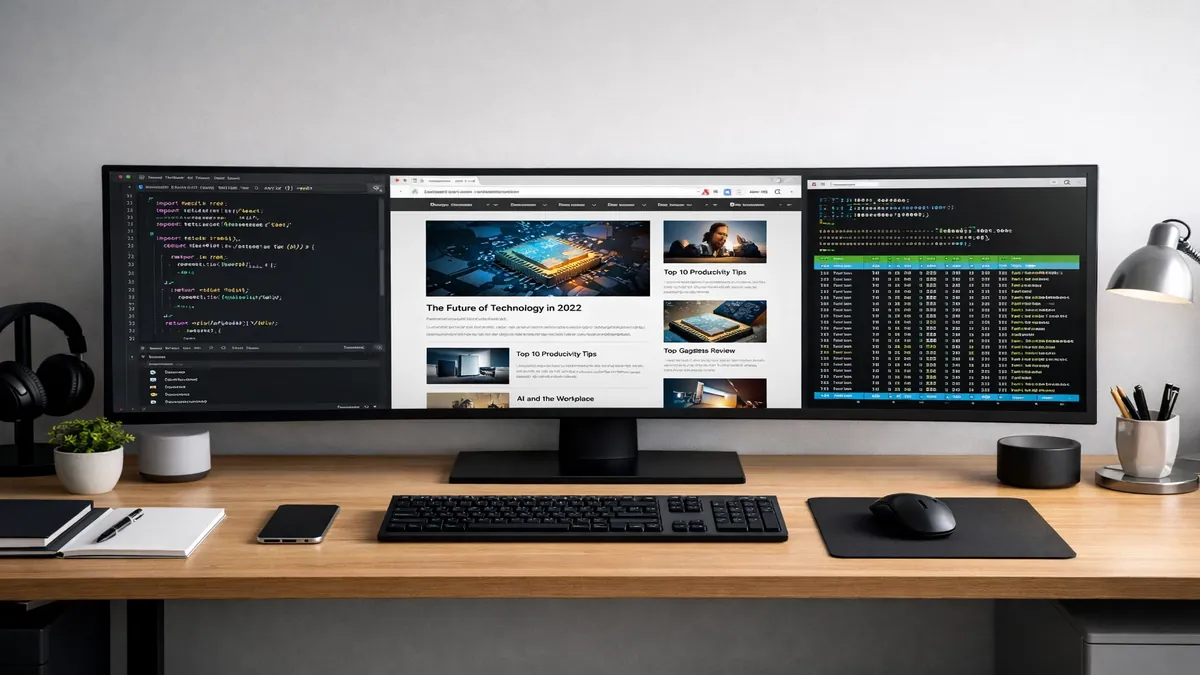
Choosing between a standard ultrawide and a super-ultrawide is the first decision you'll need to make.
1. 21:9 (Standard Ultrawide)
- Pros: Fits on most desks, widely supported by games and movies, more affordable. - Cons: Less screen real estate than a dual-monitor setup. - Best For: Most gamers and general productivity users.2. 32:9 (Super-Ultrawide)
- Pros: Equivalent to two 16:9 monitors, ultimate multitasking, incredible for simulators. - Cons: Very expensive, requires a massive desk, some games don't support the resolution. - Best For: Simulator enthusiasts and extreme multitaskers.3. Resolution and Pixel Density
For a 34-inch ultrawide, 3440 x 1440 (WQHD) is the ideal resolution. It provides a high pixel density that keeps text sharp and images detailed. Avoid 2560 x 1080 at this size, as the pixels will be too large and the image will look blurry.
4. Curvature: Do You Need It?
Most ultrawide monitors are curved (usually 1500R or 1800R). This is because the edges of a flat 34-inch screen are far enough away that they can appear distorted or washed out. A curve brings the edges closer to your eyes, creating a more uniform viewing experience. Flat ultrawides are generally only recommended for professional designers who need to avoid any perceived line distortion.
5. GPU Requirements
Driving an ultrawide monitor is demanding. A 3440 x 1440 display has about 34% more pixels than a standard 1440p monitor. To maintain high frame rates in 2026, you should have at least an RTX 4070 or RX 7800 XT. For 32:9 displays, an RTX 4080/5080 is highly recommended.
Frequently Asked Questions (FAQ)
Is an ultrawide monitor better for productivity?
Yes, significantly. The extra horizontal space allows you to have two or three windows open side-by-side at a usable size. This reduces the time spent switching between tabs and windows, which has been shown to increase productivity by up to 30%.
Do all games support ultrawide resolutions?
Most modern AAA games (released after 2018) support 21:9 natively. Some older games or competitive titles (like Overwatch 2) may have limited support or use "pillarboxing" (black bars on the sides) to maintain a fair competitive field. For 32:9, support is more hit-or-miss, but most racing and flight sims support it perfectly.
21:9 vs. Dual Monitors: Which is better?
An ultrawide monitor is generally better because it provides a seamless image without a bezel in the middle. It also uses fewer cables and takes up only one port on your GPU. However, dual monitors offer more flexibility in how you position your screens.
Can I watch movies on an ultrawide?
Yes! Most major motion pictures are filmed in a 2.39:1 aspect ratio, which almost perfectly matches a 21:9 monitor. This means you can watch movies without the black bars at the top and bottom, providing a truly cinematic experience.
Is OLED worth the extra cost for an ultrawide?
If you use your monitor primarily for gaming and movies, yes. The contrast and response times of OLED are unmatched. However, if you use it for 8 hours of office work a day with static windows, a high-quality IPS or Mini-LED panel might be a safer choice to avoid potential burn-in.
Final Verdict: Which Ultrawide Should You Choose?
The right ultrawide monitor can completely change how you interact with your computer.
- For the best overall balance of gaming and work, the LG UltraGear 34GP83A-B is our top recommendation. It's fast, colorful, and reliable. - For the ultimate immersive experience, nothing beats the Samsung Odyssey Neo G9. It's a beast of a monitor that defines the high-end market. - For professional office use, the Dell UltraSharp U3423WE offers the best connectivity and eye comfort features. - For the most beautiful visuals, the MSI MEG 342C QD-OLED is the clear winner.
Investing in an ultrawide monitor in 2026 is about more than just a bigger screen; it's about creating a more efficient, more engaging, and more enjoyable digital environment.
Ready to expand your horizon? Check out the latest ultrawide monitor deals here: Shop Amazon Ultrawide Monitors
--- Disclaimer: As an Amazon Associate, we earn from qualifying purchases. Prices and availability are subject to change.
📚 Related Articles
* Affiliate link. We may earn a commission at no extra cost to you.
Disclosure: This article contains affiliate links. We may earn a commission if you purchase through our links, at no extra cost to you. See our affiliate disclosure.