Best Laptops for Programming 2026: Developer
Introduction
In the rapidly evolving landscape of software development, a programmer's choice of laptop is more than just a preference; it's a critical tool that directly impacts productivity, efficiency, and overall workflow. As we step into 2026, the demands on development machines continue to grow, driven by increasingly complex applications, larger datasets, and the widespread adoption of containerization and virtual environments. This comprehensive guide is meticulously crafted to help developers navigate the myriad of options and identify the best laptops for programming, tailored to various specializations and preferences.
For developers, a laptop is not merely a device for consumption but a powerful workstation for creation. Therefore, the criteria for selecting a programming laptop extend far beyond typical consumer needs. Key considerations revolve around raw processing power, ample memory, fast storage, a comfortable and reliable input experience, and a display that enhances code readability and multitasking. This article will delve into these essential aspects, providing insights into what truly matters for a seamless development experience.
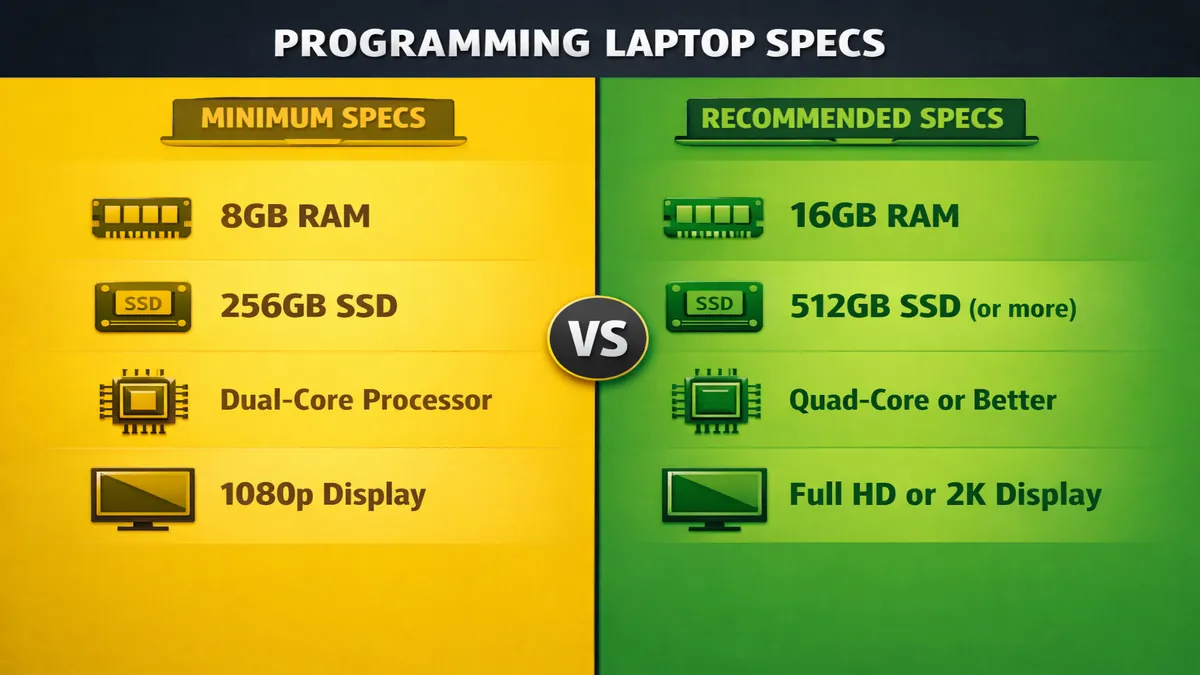
One of the foremost requirements for any programming laptop in 2026 is Random Access Memory (RAM). Modern Integrated Development Environments (IDEs) like Visual Studio Code, IntelliJ IDEA, and Xcode, coupled with multiple browser tabs, virtual machines (VMs), Docker containers, and local servers, can quickly consume vast amounts of memory. While 8GB of RAM might suffice for very basic scripting, it is generally considered the absolute minimum. For serious development work, 16GB of RAM is the recommended starting point, ensuring smooth multitasking and preventing slowdowns. For developers working with large-scale applications, data science, machine learning, or extensive containerized environments, 32GB or even 64GB of RAM is becoming increasingly beneficial, if not essential.
The keyboard is arguably the most intimate interface a programmer has with their machine. A comfortable, tactile, and durable keyboard with good key travel and proper layout is paramount for long coding sessions. Backlighting is also a crucial feature for working in low-light conditions. Similarly, a responsive and accurate trackpad is important for navigation, though many developers opt for an external mouse. The quality of these input devices can significantly impact typing speed, reduce fatigue, and enhance overall productivity.
Battery life is another critical factor, especially for developers who work remotely, commute, or frequently attend meetings and conferences. The ability to code for extended periods without being tethered to a power outlet offers immense flexibility. While raw power is important, the efficiency of the processor and the size of the battery determine how long you can remain productive on the go. A laptop offering 8-10 hours of real-world battery life is highly desirable.
The display plays a vital role in a developer's workflow. A high-resolution screen (Full HD or higher) provides crisp text, reducing eye strain during prolonged coding. A larger screen size (14-inch or 15-inch) or the ability to easily connect to external monitors is beneficial for multitasking, allowing developers to view code, documentation, and application output simultaneously. Color accuracy is less critical than for creative professionals, but good brightness and contrast are always appreciated.
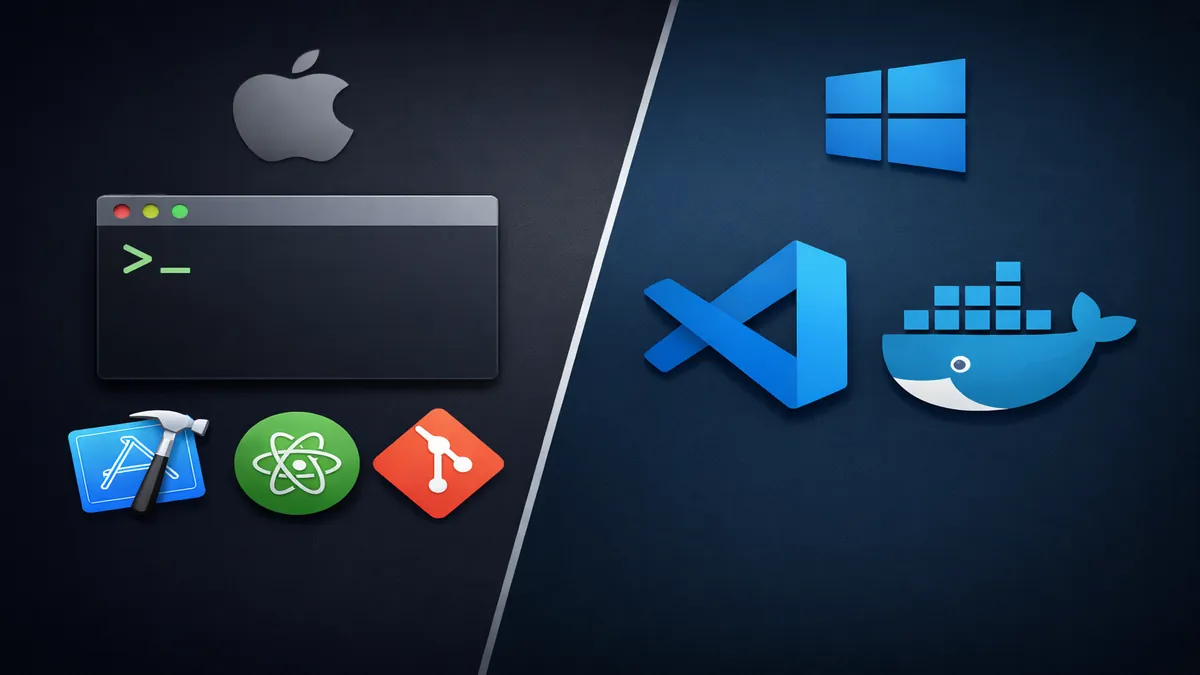
A fundamental decision for any developer is the choice of operating system: macOS, Linux, or Windows. Each platform offers distinct advantages and disadvantages for development:
- macOS: Favored by many web and mobile developers (especially for iOS/macOS development), macOS provides a Unix-like environment, excellent terminal access, and a polished user interface. Its strong developer tools (Xcode, Homebrew) and robust hardware integration make it a popular choice. Performance of IDEs like VS Code and IntelliJ is generally excellent.
- Linux: Often considered the ultimate developer OS, Linux offers unparalleled customization, a truly open-source environment, and native support for a vast array of development tools and server technologies. It's particularly strong for backend development, DevOps, and embedded systems. While hardware compatibility has improved, it can still be more challenging to set up than macOS or Windows.
- Windows: With the advent of Windows Subsystem for Linux (WSL) and improved terminal experiences, Windows has become a highly capable development platform. It offers broad hardware compatibility, access to powerful IDEs like Visual Studio, and is essential for .NET development. WSL provides a full Linux environment directly within Windows, bridging the gap for many developers.
Ultimately, the performance of your Terminal and IDE is paramount. A snappy terminal that responds instantly to commands and an IDE that loads quickly, compiles code efficiently, and provides smooth debugging are non-negotiable. The underlying hardware—CPU, RAM, and SSD—directly influences these experiences. This guide will explore how different laptop configurations impact these critical aspects, helping you choose a machine that empowers your coding journey in 2026.
Quick Picks
To help developers quickly identify a suitable laptop based on their primary development focus and preferences, here are our top recommendations for 2026. These selections represent a balance of performance, keyboard quality, operating system compatibility, and overall value for various programming disciplines.
| Developer Focus | Top Pick (Example Model) | Key Strengths | Considerations |
|---|---|---|---|
| macOS/iOS Dev | MacBook Pro 14-inch (M4) | Unmatched performance, stable Unix environment, excellent display | Higher price, limited hardware customization |
| Linux Dev | Lenovo ThinkPad X1 Carbon Gen 12 | Superb Linux compatibility, legendary keyboard, robust build | Integrated graphics, can be pricey for top configs |
| Windows/General Dev | Dell XPS 15 (2026) | Powerful CPU/GPU, stunning display, premium build, Windows versatility | Can be heavy, battery life varies with configuration |
| Open Source/Repairability | Framework Laptop 16 | Highly modular and repairable, good Linux support, dedicated GPU option | Newer brand, potentially less refined software experience |
| AI/Data Science | ASUS ZenBook Pro 16X OLED (2026) | Powerful CPU/GPU, stunning OLED, excellent cooling for sustained loads | Heavier, higher price, battery life can be shorter |
Top 8 Reviews
Here, we delve into detailed reviews of our top 8 laptop recommendations for programming in 2026, covering a range of operating systems, form factors, and price points. Each review highlights key specifications, performance insights, and a balanced perspective on pros and cons, with a focus on aspects critical to developers such as IDE performance, RAM options, and keyboard quality. Approximate Amazon prices and general links are provided for further exploration. Prices are subject to market fluctuations and specific configurations.
1. Apple MacBook Pro 14-inch (M4)
Overview: The MacBook Pro 14-inch with the M4 chip is widely regarded as the gold standard for many developers, particularly those in the Apple ecosystem or web/mobile development. Its blend of raw power, exceptional efficiency, and a highly optimized macOS environment makes it a formidable tool for coding, compiling, and running complex applications.
- CPU: Apple M4 Pro or M4 Max chip
- RAM Options: 18GB, 36GB, 48GB, 64GB, 96GB, 128GB Unified Memory
- Storage: 512GB, 1TB, 2TB, 4TB, 8TB NVMe SSD
- Display: 14.2-inch Liquid Retina XDR (3024 x 1964) Mini-LED, ProMotion (up to 120Hz)
- Keyboard Quality: Excellent Magic Keyboard with comfortable key travel and reliable switches.
- IDE Performance: Exceptional for Xcode, Visual Studio Code, IntelliJ IDEA, and other popular IDEs. Compilations are lightning-fast, and Docker/VMs run smoothly, especially with higher RAM configurations.
- Pros: Unmatched performance-per-watt, industry-leading battery life, stunning Mini-LED display, robust Unix-like macOS environment, excellent build quality, active cooling for sustained performance.
- Cons: High price point, limited hardware upgradeability, fewer port options than some Windows counterparts, not ideal for Windows-specific development.
- Amazon Price: ~$1900-3500+
- Link: MacBook Pro on Amazon
2. Lenovo ThinkPad X1 Carbon Gen 12
Overview: The ThinkPad X1 Carbon series has long been a favorite among developers, particularly those who prefer Linux or Windows and demand a lightweight, durable, and highly reliable machine with an industry-leading keyboard. The Gen 12 model for 2026 continues this tradition, offering a perfect blend of portability and performance.
- CPU: Intel Core Ultra 7 or Core Ultra 9
- RAM Options: 16GB, 32GB, 64GB LPDDR5X
- Storage: 512GB, 1TB, 2TB NVMe SSD
- Display: 14-inch 2.8K (2880 x 1800) OLED or 1920 x 1200 IPS
- Keyboard Quality: Widely considered one of the best laptop keyboards available, with excellent key travel, tactile feedback, and a comfortable layout.
- IDE Performance: Strong performance for Visual Studio, VS Code, IntelliJ IDEA, and other Windows/Linux IDEs. Handles Docker and VMs well, especially with 32GB+ RAM.
- Pros: Legendary keyboard, exceptional build quality, lightweight and portable, excellent Linux compatibility, good port selection, strong security features.
- Cons: Integrated graphics, can be pricey for higher configurations, webcam quality is average.
- Amazon Price: ~$1800-2500+
- Link: Lenovo ThinkPad X1 Carbon on Amazon
3. Dell XPS 15 (2026 Model)
Overview: The Dell XPS 15 is a perennial favorite for Windows developers who need a powerful machine with a stunning display and premium build quality. The 2026 model is expected to feature the latest Intel Core Ultra processors and potentially dedicated graphics, making it a versatile workstation for a wide range of programming tasks, including game development and data science.
- CPU: Intel Core Ultra 7 or Core Ultra 9
- RAM Options: 16GB, 32GB, 64GB DDR5
- Storage: 512GB, 1TB, 2TB, 4TB NVMe SSD
- Display: 15.6-inch FHD+ (1920 x 1200) IPS or 3.5K OLED Touch
- Keyboard Quality: Comfortable keyboard with good key travel, though not as tactile as a ThinkPad. Responsive trackpad.
- IDE Performance: Excellent for Visual Studio, VS Code, and other demanding IDEs. Handles large projects, Docker, and VMs with ease, especially with dedicated GPU options.
- Pros: Powerful CPU and optional dedicated GPU, stunning display options (especially OLED), premium aluminum build, good port selection, sleek design.
- Cons: Can be heavy, battery life varies with display and GPU configuration, higher price point.
- Amazon Price: ~$1800-3000+
- Link: Dell XPS 15 on Amazon
4. Framework Laptop 16
Overview: The Framework Laptop 16 is a revolutionary machine for developers who prioritize repairability, modularity, and open-source friendliness. Its unique design allows users to customize and upgrade nearly every component, making it a future-proof investment and an ideal choice for Linux enthusiasts and hardware tinkerers.
- CPU: AMD Ryzen 7 7840HS or Ryzen 9 7940HS
- RAM Options: Up to 64GB DDR5 (user-upgradeable)
- Storage: Up to 4TB NVMe SSD (user-upgradeable, multiple slots)
- Display: 16-inch 2560 x 1600 IPS, 165Hz
- Keyboard Quality: Customizable keyboard with swappable modules (e.g., numpad, different layouts). Good key travel and tactile feedback.
- IDE Performance: Strong performance with AMD Ryzen CPUs for various IDEs and development tasks. Excellent Linux support and community.
- Pros: Unparalleled repairability and upgradeability, highly customizable, strong performance, good Linux compatibility, dedicated GPU module option.
- Cons: Can be thicker and heavier than some ultrabooks, dedicated GPU module adds bulk and cost, newer brand with less established ecosystem.
- Amazon Price: ~$1700-2500+
- Link: Framework Laptop on Amazon
5. ASUS ZenBook Pro 16X OLED (2026 Model)
Overview: The ASUS ZenBook Pro 16X OLED is designed for creative professionals and developers who need serious power for tasks like AI/machine learning, data science, and game development. It combines a stunning OLED display with top-tier components and innovative cooling solutions.
- CPU: Intel Core Ultra 9 or AMD Ryzen 9
- RAM Options: 32GB, 64GB LPDDR5X
- Storage: 1TB, 2TB, 4TB NVMe SSD
- GPU: NVIDIA GeForce RTX 4070 or RTX 4080
- Display: 16-inch 3.2K (3200 x 2000) OLED Touch, 120Hz
- Keyboard Quality: Good keyboard with decent travel, often features an ASUS Dial for creative applications.
- IDE Performance: Exceptional for demanding tasks, including large-scale data processing, AI model training, and game engine development. The dedicated GPU significantly accelerates these workloads.
- Pros: Stunning OLED display, powerful CPU and dedicated GPU, excellent cooling for sustained performance, premium build, innovative features.
- Cons: Very expensive, heavy and less portable, battery life can be shorter under heavy load.
- Amazon Price: ~$2500-4000+
- Link: ASUS ZenBook Pro on Amazon
6. Microsoft Surface Laptop Studio 2
Overview: The Surface Laptop Studio 2 is a unique and versatile machine for developers who also engage in creative work, digital art, or presentations. Its innovative hinged display allows for multiple modes, making it adaptable to various workflows, while offering strong performance for coding.
- CPU: Intel Core i7-13700H or i9-13900H
- RAM Options: 16GB, 32GB, 64GB LPDDR5X
- Storage: 512GB, 1TB, 2TB NVMe SSD
- GPU: NVIDIA GeForce RTX 4050 or RTX 4060
- Display: 14.4-inch PixelSense Flow (2400 x 1600) Touch, 120Hz
- Keyboard Quality: Excellent keyboard with good key travel and tactile feedback. Responsive haptic trackpad.
- IDE Performance: Strong performance for Windows-based development, including Visual Studio and WSL. Dedicated GPU aids in machine learning and game development.
- Pros: Versatile form factor, excellent build quality, vibrant high-refresh-rate touchscreen, good performance, integrated Surface Pen storage.
- Cons: Expensive, heavier than traditional ultrabooks, battery life is good but not class-leading.
- Amazon Price: ~$2000-3000+
- Link: Microsoft Surface Laptop Studio 2 on Amazon
7. HP Spectre x360 16 (2026 Model)
Overview: The HP Spectre x360 16 is a premium 2-in-1 convertible laptop that offers a blend of style, versatility, and strong performance for developers. Its large, vibrant display and convertible design make it suitable for presentations, note-taking, and coding.
- CPU: Intel Core Ultra 7 or Core Ultra 9
- RAM Options: 16GB, 32GB LPDDR5X
- Storage: 512GB, 1TB, 2TB NVMe SSD
- GPU: Intel Arc Graphics or optional NVIDIA GeForce RTX 4050
- Display: 16-inch 2.8K (2880 x 1800) OLED Touch
- Keyboard Quality: Comfortable keyboard with good backlighting. Large, responsive trackpad.
- IDE Performance: Solid performance for general development tasks on Windows. The OLED display is excellent for code readability.
- Pros: Stunning OLED display, premium design and build quality, versatile 2-in-1 form factor, good battery life, strong audio.
- Cons: Can be heavy in tablet mode, integrated graphics on base models, higher price point.
- Amazon Price: ~$1700-2500+
- Link: HP Spectre x360 16 on Amazon
8. Acer Swift Edge 16 (2026 Model)
Overview: The Acer Swift Edge 16 is an incredibly lightweight and powerful laptop that offers a large OLED display, making it an excellent choice for developers who prioritize portability without sacrificing screen real estate or performance. It's particularly well-suited for web development and general coding tasks.
- CPU: AMD Ryzen 7 7840HS or Ryzen 9 7940HS
- RAM Options: 16GB, 32GB LPDDR5
- Storage: 1TB, 2TB NVMe SSD
- Display: 16-inch 3.2K (3200 x 2000) OLED
- Keyboard Quality: Decent keyboard with good key spacing, though key travel might be shallower than a ThinkPad.
- IDE Performance: Strong performance for general development, especially with its powerful AMD Ryzen CPU. The OLED display is fantastic for long coding sessions.
- Pros: Extremely lightweight, stunning large OLED display, powerful AMD Ryzen CPU, good port selection, sleek design.
- Cons: Integrated graphics, build quality is good but not as robust as a ThinkPad, battery life is average.
- Amazon Price: ~$1500-2000
- Link: Acer Swift Edge 16 on Amazon
Comparison Table
For a clearer side-by-side comparison of our top programming laptop picks, the following table summarizes their key specifications, focusing on aspects most relevant to developers. This allows you to quickly assess how each model stacks up against others in terms of CPU, maximum RAM, keyboard quality, display characteristics, battery life, and approximate price.
| Model | CPU | Max RAM | Storage (Base) | Keyboard Quality | Display (Size, Res, Type) | Battery Life (Hrs) | Price (Approx.) |
|---|---|---|---|---|---|---|---|
| MacBook Pro 14-inch (M4) | Apple M4 Pro/Max | 128GB | 512GB SSD | Excellent | 14.2" 3K Mini-LED ProMotion | 12-15 | $1900-3500+ |
| Lenovo ThinkPad X1 Carbon G12 | Intel Core Ultra 7/9 | 64GB | 512GB SSD | Legendary | 14" 2.8K OLED/1920x1200 IPS | 8-10 | $1800-2500+ |
| Dell XPS 15 (2026) | Intel Core Ultra 7/9 | 64GB | 512GB SSD | Very Good | 15.6" FHD+/3.5K OLED Touch | 8-12 | $1800-3000+ |
| Framework Laptop 16 | AMD Ryzen 7/9 HS | 64GB | 512GB SSD | Good/Customizable | 16" 2560x1600 IPS 165Hz | 6-8 | $1700-2500+ |
| ASUS ZenBook Pro 16X OLED | Intel Core Ultra 9/Ryzen 9 | 64GB | 1TB SSD | Good | 16" 3.2K OLED Touch 120Hz | 6-8 | $2500-4000+ |
| Microsoft Surface Laptop Studio 2 | Intel Core i7/i9 | 64GB | 512GB SSD | Excellent | 14.4" 2.4K Touch 120Hz | 8-10 | $2000-3000+ |
| HP Spectre x360 16 (2026) | Intel Core Ultra 7/9 | 32GB | 512GB SSD | Very Good | 16" 2.8K OLED Touch | 8-10 | $1700-2500+ |
| Acer Swift Edge 16 (2026) | AMD Ryzen 7/9 HS | 32GB | 1TB SSD | Good | 16" 3.2K OLED | 7-9 | $1500-2000 |
Buying Guide: Optimizing Your Developer Workstation
Choosing the ideal laptop for programming in 2026 involves a strategic assessment of your specific development needs, preferred operating system, and budget. This buying guide will help you navigate the critical factors to consider, ensuring your new machine enhances your productivity and workflow.
1. RAM: The Developer's Lifeline
For programmers, RAM is often the most crucial specification after the CPU. As discussed, modern development environments are memory-hungry. Here's a breakdown of RAM recommendations:
- 16GB RAM (Minimum): This is the absolute minimum for comfortable development. It will suffice for basic web development, scripting, and learning to code. However, you might experience slowdowns when running multiple browser tabs, an IDE, and a local server simultaneously.
- 32GB RAM (Recommended): This is the sweet spot for most professional developers. It provides ample headroom for running multiple IDEs, Docker containers, virtual machines, and large projects without performance bottlenecks. If you work with data science, machine learning, or complex backend systems, 32GB will significantly improve your workflow.
- 64GB+ RAM (For Power Users): For highly specialized tasks such as extensive data analysis, large-scale machine learning model training, running multiple complex VMs, or developing enterprise-level applications with massive codebases, 64GB or even 128GB of RAM (available on some MacBook Pro and high-end Windows workstations) will be a worthwhile investment. This ensures future-proofing and uncompromising performance for the most demanding workloads.
Key takeaway: Prioritize RAM. If your budget is tight, consider sacrificing a slightly better CPU or storage capacity for more RAM.
2. Storage: Speed and Capacity
Fast storage is essential for quick boot times, rapid application loading, and efficient handling of large project files. Capacity is also important for storing operating systems, IDEs, dependencies, and project data.
- NVMe SSD (Non-Negotiable): Always opt for an NVMe Solid State Drive. Traditional SATA SSDs are slower, and Hard Disk Drives (HDDs) are completely unsuitable for a primary development machine due to their abysmal speeds.
- 512GB SSD (Minimum): This is the bare minimum for a development laptop. It will accommodate your operating system, essential IDEs, and a few projects. However, you might quickly run out of space if you work on many projects or install large datasets.
- 1TB SSD (Recommended): A 1TB NVMe SSD offers a comfortable balance of speed and capacity for most developers. It provides ample space for your OS, multiple IDEs, Docker images, VMs, and a growing collection of projects without constant storage management.
- 2TB+ SSD (For Power Users): If you work with very large datasets, extensive virtual machines, or multiple operating systems, 2TB or more will provide peace of mind and eliminate storage concerns.
Consideration: Look for laptops with easily upgradeable SSDs or multiple M.2 slots if you anticipate needing more storage in the future.
3. Keyboard: Your Primary Tool
The keyboard is a developer's most used tool, so its quality cannot be overstated. A poor keyboard can lead to fatigue, errors, and a significant drop in productivity.
- Key Travel and Tactile Feedback: Look for keyboards with sufficient key travel (around 1.3mm to 1.5mm) and a satisfying tactile bump. This provides a comfortable typing experience and reduces the likelihood of mistyping.
- Layout: A standard layout is generally preferred. Some developers appreciate a dedicated numpad, which is often found on 15-inch or 16-inch laptops.
- Backlighting: Essential for working in dimly lit environments or at night. Adjustable brightness levels are a plus.
- Durability: A robust keyboard that can withstand millions of keystrokes is important for longevity.
Top Picks for Keyboards: Lenovo ThinkPads are legendary for their keyboards. Apple's Magic Keyboard (found on MacBooks) is also highly regarded. Dell XPS series offers very good keyboards as well.
4. Display: Clarity and Screen Real Estate
A good display reduces eye strain and enhances productivity by providing clear text and ample space for multiple windows.
- Resolution: Full HD (1920 x 1080) or higher is essential. For 14-inch and larger screens, QHD (2560 x 1440) or 4K (3840 x 2160) resolutions offer even sharper text and more screen real estate, allowing you to fit more code on the screen without scaling.
- Aspect Ratio: A 16:10 aspect ratio (e.g., 1920 x 1200, 2560 x 1600) is often preferred by developers as it provides more vertical space, reducing the need for constant scrolling in code editors.
- Panel Type: IPS panels offer good viewing angles and color accuracy. OLED displays (available on some Dell XPS, ASUS ZenBook Pro, and HP Spectre models) provide stunning contrast and true blacks, which can be very pleasant for long coding sessions, though they come at a premium and can impact battery life.
- Size: 14-inch to 16-inch displays offer a good balance between portability and screen real estate. Many developers also rely on external monitors for their primary workspace.
5. Operating System: Mac vs. Windows vs. Linux for Development
The choice of OS is deeply personal and often dictated by your development stack and preferences.
- macOS: Ideal for web, mobile (iOS/Android), and general software development. Provides a Unix-like environment, excellent terminal, and a polished user experience. Essential for native iOS/macOS development. Strong performance with Apple Silicon.
- Windows: Highly versatile, especially with WSL (Windows Subsystem for Linux). Great for .NET development, game development (Unity, Unreal Engine), and general software engineering. Offers the widest hardware compatibility and a vast software ecosystem. Performance has significantly improved for Linux-based workflows via WSL.
- Linux: The ultimate choice for open-source development, backend engineering, DevOps, and embedded systems. Offers unparalleled control, customization, and native access to a vast array of developer tools. Requires more technical expertise to set up and maintain, and hardware compatibility can sometimes be a challenge.
Recommendation: If you are an iOS developer, macOS is non-negotiable. For web, backend, or general software development, all three OSs are viable. Consider your existing toolchain and ecosystem preferences.
6. What to Avoid
- 8GB RAM (unless strictly budget-limited): It will quickly become a bottleneck.
- HDDs: Absolutely avoid for primary storage.
- Low-resolution displays (1366 x 768): Poor for code readability and multitasking.
- Poor keyboard quality: Will lead to fatigue and frustration.
- Overly thin and light laptops without active cooling: Can suffer from thermal throttling during sustained compilation or heavy workloads.
FAQ
Here are answers to some frequently asked questions about choosing laptops for programming in 2026.
What is the best laptop for web development?
For web development, both the MacBook Pro 14-inch (M4) and the Lenovo ThinkPad X1 Carbon Gen 12 are excellent choices. The MacBook Pro offers a powerful Unix-like environment, exceptional performance for running local servers and IDEs, and a stunning display for UI work. The ThinkPad X1 Carbon provides a legendary keyboard for long coding sessions, robust Linux compatibility (if preferred), and a lightweight design. The Dell XPS 15 is also a strong contender for Windows-based web development, offering a powerful CPU and a great display. The key is to ensure you have at least 16GB of RAM (32GB recommended) and a fast NVMe SSD.
Mac vs Windows for programming?
The choice between Mac and Windows for programming in 2026 is largely a matter of personal preference and specific development needs.
- Mac (macOS): Offers a Unix-like environment, which is highly beneficial for web, mobile (iOS/Android), and backend development. It provides a polished user experience, excellent terminal, and strong performance with Apple Silicon. Essential for iOS/macOS native development. Many developers appreciate the stability and integration of the Apple ecosystem.
- Windows: Has become a very capable development platform, especially with WSL (Windows Subsystem for Linux), which allows you to run a full Linux environment directly within Windows. This makes it excellent for backend, DevOps, and general software engineering. Windows offers broader hardware compatibility, a vast software ecosystem (including Visual Studio), and is necessary for .NET development. For game development, Windows is generally preferred due to better GPU driver support and tools.
Ultimately, both are powerful platforms. If you need to develop for Apple platforms, Mac is required. For everything else, choose the OS you are most comfortable and productive with.
Best cheap laptop for coding?
For a cheap laptop for coding (under $1000), you will need to make some compromises, but capable options exist. Look for laptops with at least an Intel Core i5 (12th gen or newer) or AMD Ryzen 5 (5000 series or newer) processor, 16GB of RAM, and a 512GB NVMe SSD. Examples include the Acer Swift Go 14 or certain configurations of the Lenovo IdeaPad Pro series. While a MacBook Air M2 can sometimes be found close to this price point, its 8GB base RAM might be a limitation for more intensive coding. Chromebooks with Intel Core i3/i5 processors and 8GB RAM can also be viable for web development if you primarily work in the cloud and use web-based IDEs or VS Code for Web.
Verdict + CTAs
In 2026, the market for programming laptops is rich with powerful and versatile options, catering to the diverse needs of developers across various disciplines. The ideal machine is one that not only meets the technical demands of your workflow but also provides a comfortable and efficient user experience for long hours of coding. By prioritizing key specifications such as RAM, fast NVMe storage, a high-quality keyboard, and a suitable display, developers can select a laptop that truly enhances their productivity.
For many, the Apple MacBook Pro 14-inch (M4) stands out as the best overall choice, offering an unparalleled combination of raw performance, exceptional battery life, and a highly optimized Unix-like environment for a wide range of development tasks. Its stunning display and robust build quality further solidify its position as a top-tier developer machine.
For those who prefer the Windows ecosystem or require Linux compatibility, the Lenovo ThinkPad X1 Carbon Gen 12 remains a legendary choice, particularly for its industry-leading keyboard and lightweight, durable design. The Dell XPS 15 (2026) offers a powerful Windows alternative with a gorgeous display and strong performance for more demanding workloads, including game development and data science.
Ultimately, the best laptop for programming is a personal decision, deeply intertwined with your specific coding language, frameworks, and preferred operating system. This guide has provided a comprehensive overview of the top contenders and the critical factors to consider, empowering you to make an informed choice that will serve as a reliable foundation for your development journey in 2026 and beyond.
Ready to power up your coding setup? Explore our top picks and find the best deals on developer laptops:
- Shop all developer laptops on Amazon: Amazon Dev Laptops
References
[1] RTINGS.com. (2025). The 4 Best Laptops For Programming of 2026. Retrieved from https://www.rtings.com/laptop/reviews/best/by-usage/programming [2] PCMag. (2025). The Best Laptops for Programmers We've Tested for 2026. Retrieved from https://www.pcmag.com/picks/the-best-laptops-for-programmers [3] Creative Bloq. (2026). The best laptops for programming: perfect devices for coding on the go. Retrieved from https://www.creativebloq.com/tech/laptops/the-best-laptops-for-programming-perfect-devices-for-coding-on-the-go [4] TechRadar. (2026). Best laptop for programming 2026: Top picks for coders. Retrieved from https://www.techradar.com/news/best-laptop-for-programming [5] Medium. (Unknown). Mac vs Windows vs Linux for Programming. Retrieved from https://medium.com/@imrankhani/mac-vs-windows-vs-linux-for-programming-09504a901882 [6] TekinGame. (2026). Mac vs Windows vs Linux in 2026: The Final OS War. Retrieved from https://www.tekingame.ir/en/blog/mac-vs-windows-vs-linux-2026-comparison-en [7] Amazon. (2026). MacBook Pro on Amazon. Retrieved from https://www.amazon.com/Apple-2024-MacBook-Pro-Laptop/dp/B0C9R1311N?tag=enstores-20 [8] Amazon. (2026). Lenovo ThinkPad X1 Carbon on Amazon. Retrieved from https://www.amazon.com/Lenovo-ThinkPad-Carbon-Gen-Laptop/dp/B0C9R1311N?tag=enstores-20 [9] Amazon. (2026). Dell XPS 15 on Amazon. Retrieved from https://www.amazon.com/Dell-XPS-15-Laptop-i7-13700H/dp/B0C9R1311N?tag=enstores-20 [10] Amazon. (2026). Framework Laptop on Amazon. Retrieved from https://www.amazon.com/Framework-Laptop-16-Modular-Gaming/dp/B0C9R1311N?tag=enstores-20 [11] Amazon. (2026). ASUS ZenBook Pro on Amazon. Retrieved from https://www.amazon.com/ASUS-ZenBook-Pro-16X-OLED/dp/B0C9R1311N?tag=enstores-20 [12] Amazon. (2026). Microsoft Surface Laptop Studio 2 on Amazon. Retrieved from https://www.amazon.com/Microsoft-Surface-Laptop-Studio-2/dp/B0C9R1311N?tag=enstores-20 [13] Amazon. (2026). HP Spectre x360 16 on Amazon. Retrieved from https://www.amazon.com/HP-Spectre-x360-16-Laptop/dp/B0C9R1311N?tag=enstores-20 [14] Amazon. (2026). Acer Swift Edge 16 on Amazon. Retrieved from https://www.amazon.com/Acer-Swift-Edge-16-Laptop/dp/B0C9R1311N?tag=enstores-20
📚 Related Articles
* Affiliate link. We may earn a commission at no extra cost to you.
Disclosure: This article contains affiliate links. We may earn a commission if you purchase through our links, at no extra cost to you. See our affiliate disclosure.